|
|
The SoftwareThe SARTrack
program Design considerations.
SARTrack
is based on an ‘un-docked’ window system, that is, all windows
are separate, and can be moved anywhere independently. The
primary reason for this design was to enable the use of multi-monitor
systems, in particular the use of a video projector displaying the Map,
while other windows could stay on the laptop screen.
A single small Main Menu window from which all primary windows can be started stays on-top at all times. Each
window has its own basic settings, which means the User will not
be subjected to a main window overloaded with settings and icons, which
is unfortunately becoming very common. For example, the Map window
will have most settings needed for that window, while the SAR Log
window will only have settings required for that window.
All
effort has been made to made to keep the program as easy to use as
possible, while only showing the user only what he or she needs to see. When
the original New Zealand version became an International version,
intended for both Search and Rescue and Amateur Radio operators, an
option was added in the main Setup to switch between SAR and HAM
operation.
When SAR is selected, the SAR Log system becomes
available, and various other settings in the program appear or
disappear. SARTrack now makes heavily use of OSM
(OpenStreetMap) compatible Online servers for the Maps. These maps,
based on a system of small Map Tiles, can then be saved for off-line
use during SAR operations in the field. This off-line use saving of
Tiles is not allowed when using Google Maps or other commercial Map
systems.
As of February 2013 SARTrack has the following basic features:
-
A primary Map window for all OSM-compatible and Local Maps, with
many Maps including Topographical maps for Canada and the USA, and
Topographical maps for the rest of the world. - Transparent Overlays are possible, and a User configurable file for OSM servers is included. - A Google Map window which can be synched with the primary map (but on-line only) - A New Zealand Topographical off-line Map system (3 Gigabyte download required) - A full APRS system, including an advanced APRS Message system, Stations, Objects, etc. - Selectable overlays on the Maps, like Map outlines, Grid, Radio-Range, etc. - Warning when Stations (Trackers) time out, and warnings when Priority beacons (from Trackers) are received. -
A Replay system, which makes it possible to replay an entire day of a
SAR Operation, including the Tracks, Messages and the SAR Log, with a
timer window showing when it all happened. - The SAR Log can be exported in a delimited form. - There are many more features in the program, to discover it all, download and install the software, if is free.
SARTrack
is completely stand-alone, runs on Windows 2000 and higher, does not
use any libraries, does not use .NET, does not use the Windows
Registry, does not load any things on Windows start-up.
Updates will be checked for once a day, only when SARTrack is started.
These where the original requirements when we started in 2006 and most are implemented:
-
To be able
to track up
to many stations, and to display them on a topographical map.
-
All Map
data to be
locally available on the laptop (no Internet required).
-
Every
station (tracker)
to get a Tactical callsign, separate colour track, Icon, customizable
Screen label.
-
Screen
Labels to show
(selectable): Tactical callsign, Coordinates, Speed, Altitude, Course
-
Screen
Labels to change
color if the station has timed out, or has send a Priority message.
-
Warning
systems to show
stations loss of signal, and Priority Warning with screen and Audio
signal and selectable Message.
-
A Priority
Icon to show
on the map when priority signal received. Also automatic log entry.
-
Event Log
(Running Log)
system, which enables the operators to enter Log entries with pull-down
lists for all active stations. Automatic Log entry in case of Priority
Signal received, or loss of signal, and when Icon Markers are
added by the operators. The Log can be added to from multiple
computers, both locally and remote. The Radio operator can enter Log
entries which will then show up on the Controller PC, and any other
PC's active on the search.
-
Option to
print out Log
entries and messages on the local printer (on an entry-by-entry basis).
-
Capability
for operators
to add special Marker Icons on the map, with detailed data attached to
it,
including documents and pictures.
-
Capability
to draw
search areas on the map and share with other computers.
-
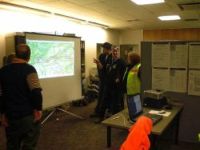
Dual Screen
capability,
where the Map screen can be displayed on a separate monitor or video
projector, while all operational displays are on the laptop screen.
-
Capability
to network
several computers and share all data, so a radio operator can enter Log
entries and view location of stations, and the operations team view the
map and operate another laptop in the operations room.
-
Capability
to connect to
an Igate server via the Internet, if available, to share all Tracking
data with computers across New Zealand.
-
A messaging
system which
enable all computers to communicate encrypted text messages with
each other, even if only connected by radio.
-
A 'Text
Message' system
which enables Radio based computers to send one-line emails and TXT
messages to mobile phones.
-
All data,
tracking
information, events, log entries etc. to be stored immediately and
permanently on all connected computers.
-
Capability
to re-play
the entire Search on the screen.
-
To print
out the Log
system and tracking maps at the end of the search.
Furthermore,
the program
must be
-
Extremely
easy to use,
following all standard Windows conventions, such as dragging the Map by
left-mouse down and drag, zooming in and out with the mouse-wheel,
right-clicking on Icons on the screen and get a pop-up menu with all
options, etc.
-
As many
functions as
possible should be automated.
-
No
requirement to use
the more advanced functions; the program should work and start tracking
right after startup.
At the time of
writing
(Updated February 2013), most of the above functions have now been
incorporated in the program, and the program is at Beta
level.
The APRS software is now available for FREE as an International version.
But, why
would you use SARTrack?
February 2013
|
 

|