
Statistical rings and dispersion angles
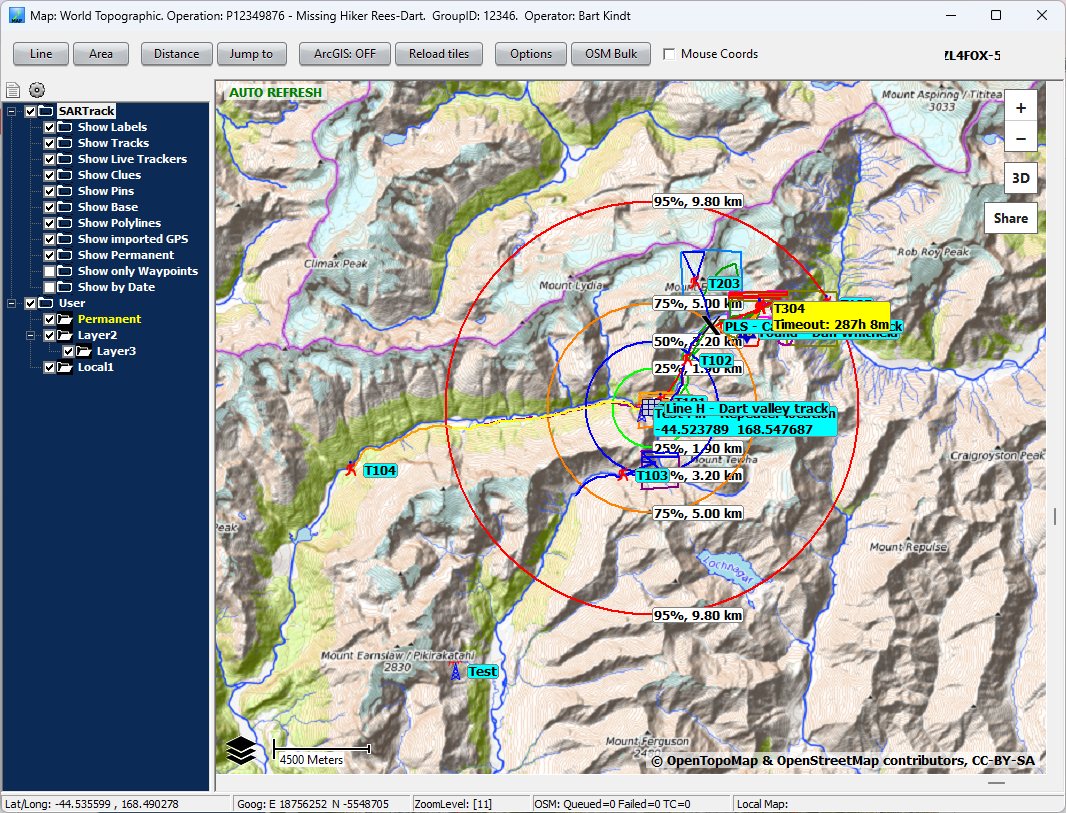
SARTrack can show statistical rings for a missing person on the map. They are based on the International Search & Rescue Incident Database (ISRID) and the book Lost Person Behavior by Robert Koester. Dispersion lines and a travel ring are optional.
Making a ring system
Right-click the place on the map, and choose Create IPP / LKP / PLS circles here.
- Type and Name: choose IPP, LKP or PLS, and give the place a short name, as it will be shown on the map.
- Date: the date and time the person was last seen. To use the travel ring, this must be the date and time of the Point Last Seen.
- MP: link the system to the Missing Person it belongs to.
- Location and Alt: filled in from where you clicked. You can type NZTM or GPS coordinates.
- Rings: enter the 25%, 50%, 75% and 95% distances from the book, for the person's category, and pick a colour for each. A ring left at 0 is not drawn.
- Fixed ring: tick Use 300 m ring for a fixed ring of 300 metres (1000 feet with imperial units).
- Dispersion angles: tick Use Dispersion Angles, then enter the angles from the book. An angle left at 0 is not drawn.

Dispersion lines
With dispersion angles on, after you click OK you set the Initial Direction of Travel on the map.
The colours of the rings match the colours of the dispersion lines. The 'pie slice' between two lines of the same colour, out to the ring of that colour, shows the statistical chance of the person being in that area.


The travel ring
The travel ring is a red ring that grows with time, from the Point Last Seen, at the person's estimated Average Speed. It is not part of ISRID, but can be useful in some situations.
- It needs a real Point Last Seen date and time.
- The Average Speed is up to the Incident Controller or Operations Manager, for the situation and the terrain.
- Mobility Hours: after how many hours the person is no longer expected to be moving. The value can come from the book or be your own. After that time the travel ring disappears from the map.

Good to know
- You can change the ring system at any time: right-click it on the map.
- The labels can be hidden.
- You can hide a ring system and start a new one, for example when new Point Last Seen information comes in. The old one stays in the Objects window, to show again when needed or at the debrief.
- The ring system goes through the Database Server to every SARTrack in the Operation. It is also on the maps of your organisation's web site and the SARTrack App.